

 AUD
AUD
 BRL
BRL
 CAD
CAD
 CHF
CHF
 CNY
CNY
 DKK
DKK
 EUR
EUR
 HKD
HKD
 INR
INR
 JPY
JPY
 KRW
KRW
 MXN
MXN
 MYR
MYR
 NOK
NOK
 NZD
NZD
 PLN
PLN
 RUB
RUB
 SEK
SEK
 SGD
SGD
 THB
THB
 TWD
TWD
 USD
USD
 ZAR
ZAR

This episode will cover the techniques to find events in the game that we can use in our plugins. I will show you how I do this using two ways: using the Unturned DataMining GitHub repository and using the JetBrains DotPeek tool.
Rocket Events
RocketMod has built in events that you can use in your plugins.
U.Events
Basic events like player connected, disconnected and server shutdown.
U.Events.OnPlayerConnected += OnPlayerConnected;

private void OnPlayerConnected(UnturnedPlayer player)
{
    Logger.Log($"{player.DisplayName} connected.");
}
UnturnedPlayerEvents
Player events like player death, damage, chat, etc.
UnturnedPlayerEvents.OnPlayerDeath += OnPlayerDeath;

private void OnPlayerDeath(UnturnedPlayer player, EDeathCause cause, ELimb limb, CSteamID murderer)
{
    Logger.Log($"{player.DisplayName} died of {cause}");
}
💡 PRO TIP
In Visual Studio events are marked with ⚡ lightining icon
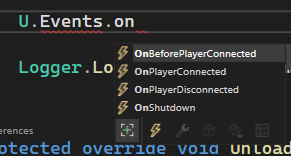
Unturned Events
Although UnturnedPlayerEvents has many events it is far from complete. Most events are in the original SDG.Unturned types.
Examples
I'm gonna list few examples and then show how you can find them.
Example #01 - BarricadeManager.onDamageBarricadeRequested
BarricadeManager.onDamageBarricadeRequested += OnBarricadeDamageRequested;


private void OnBarricadeDamageRequested(CSteamID instigatorSteamID, Transform barricadeTransform, ref ushort pendingTotalDamage, ref bool shouldAllow, EDamageOrigin damageOrigin)
{
    // Get the player instance
    Player player = PlayerTool.getPlayer(instigatorsteamid);
    // Check if instigator is actually a player. It can be zombie.
    if (player == null)
    {
        return;
    }
    // Get Rocket UntunredPlayer instance if necessary
    UnturnedPlayer unturnedPlayer = UnturnedPlayer.FromPlayer(player);

    // Do something
}
💡 PRO TIP
You can subscribe to delegate fields that are not events. They are not marked with the ⚡ icon in Visual Studio.
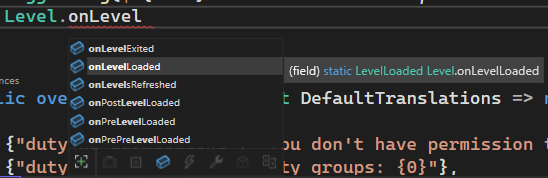
Example #02 - Level.onLevelLoaded
Level.onLevelLoaded += OnLevelLoaded;

private void OnLevelLoaded(int level)
{
    Logger.Log($"Level {level} loaded.");
}
Example #03 - UseableGun.onBulletHit
UseableGun.onBulletHit += OnBulletHit;

private void OnBulletHit(UseableGun gun, BulletInfo bullet, InputInfo hit, ref bool shouldAllow)
{
    Logger.Log($"Bullet hit {hit.point}");
}
Finding Events
Unturned DataMining
There is a great repository on GitHub called Unturned Datamining created and maintained by DiFFoZ
It automatically updates every time a new version of Unturned is released. It contains decopmiled code of the game. You can use it to find events and learn how the game works.
You will find all important Unturned types in Assembly-CSharp/SDG.Unturned directory. In there is a file called 0README.md that contains a list of all types in the game. If you are working on something related to barricades, you can search for keywords like Barricade in the file (ctrl + f) and find all types that contain the keyword.
dnSpy
Despite being archived and no longer maintained, dnSpy is the best tool I use personally to explore the game code.
Here's how I do it:
- Open dnSpy
- Find
Assembly-CSharp.dllin the game directory (usuallySteam/steamapps/common/Unturned/Unturned_Data/Managed) - Drag and drop the file into dnSpy
- Find and expand the
SDG.Unturnednamespace then click on it - You will see all types in the game. When you click on a type it will open it.
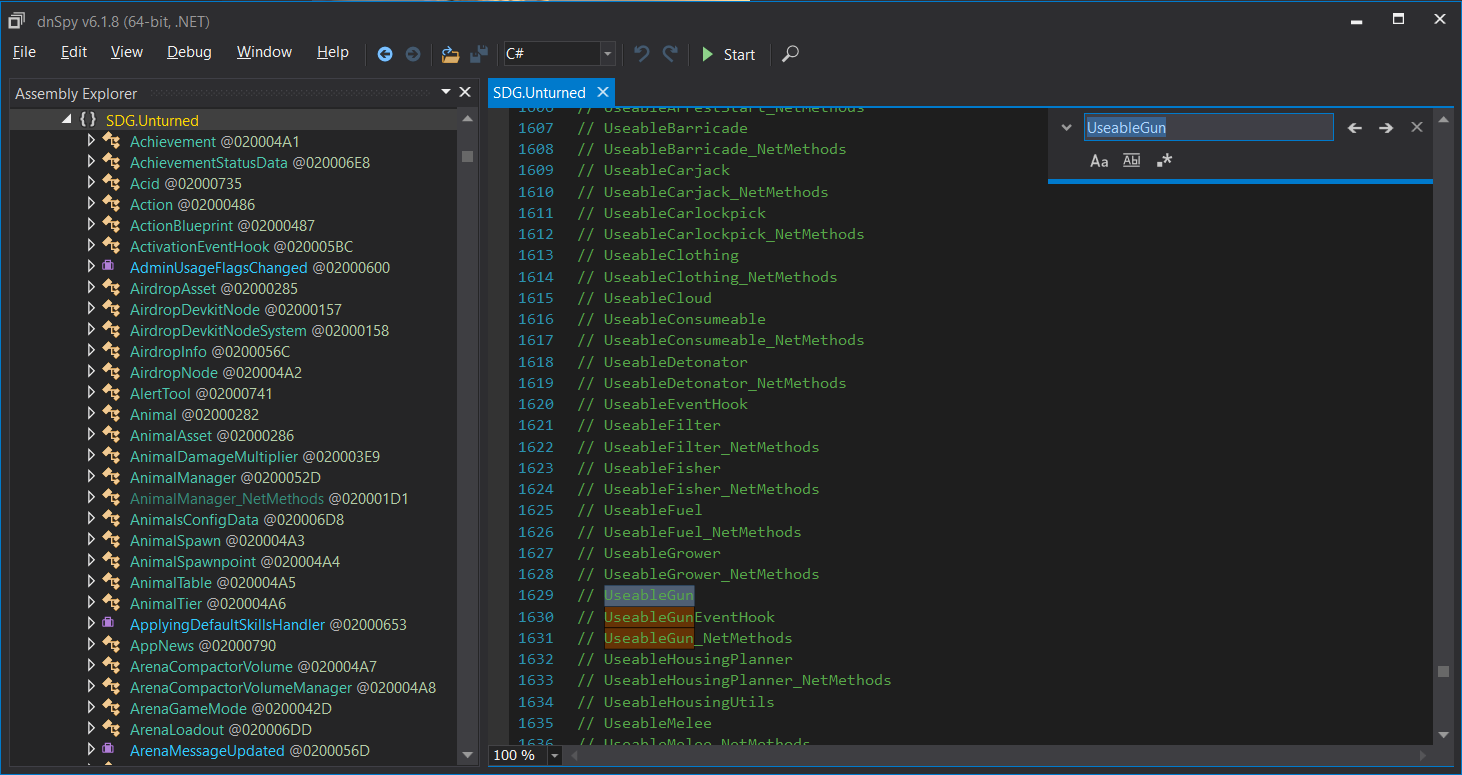
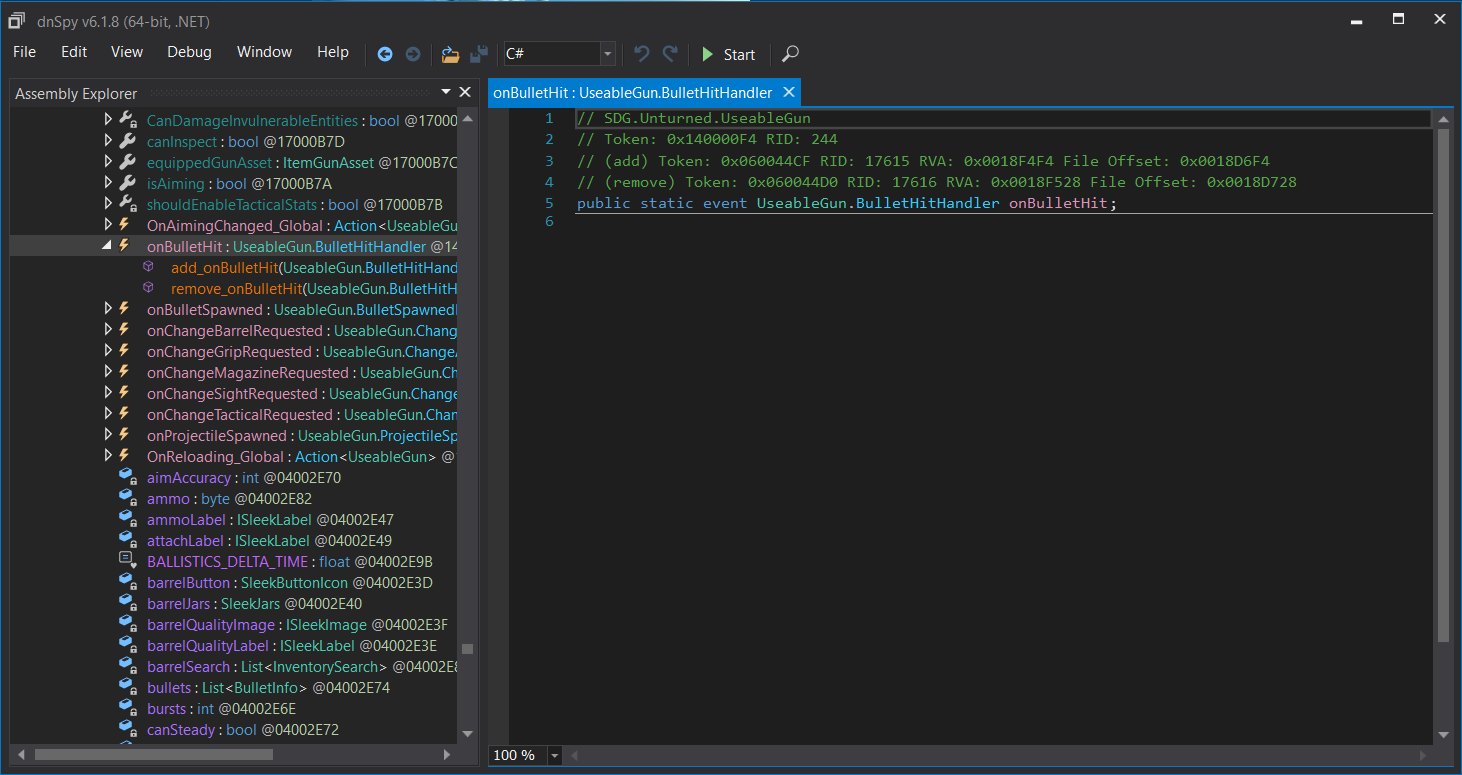
- On the left side panel the Assembly Explorer you can expand specific types and see all fields, properties, methods, etc. You can look for events this way, they usually start with
onprefix.
Conclusion
Finding events in the game is harder than it should be and in the future I will look into creating a tool or maintaining a documentation to help with this. For now, you can use the methods I showed you in this episode.
Comments (0)
No comments yet. Be the first.