

 AUD
AUD
 BRL
BRL
 CAD
CAD
 CHF
CHF
 CNY
CNY
 DKK
DKK
 EUR
EUR
 HKD
HKD
 INR
INR
 JPY
JPY
 KRW
KRW
 MXN
MXN
 MYR
MYR
 NOK
NOK
 NZD
NZD
 PLN
PLN
 RUB
RUB
 SEK
SEK
 SGD
SGD
 THB
THB
 TWD
TWD
 USD
USD
 ZAR
ZAR

Biohazard Fiber
Crafting Material Protected and useful.
ID
ID: 6270
GUID
GUID: 3672e1bdd2034fce9c54ca60baa5ce81
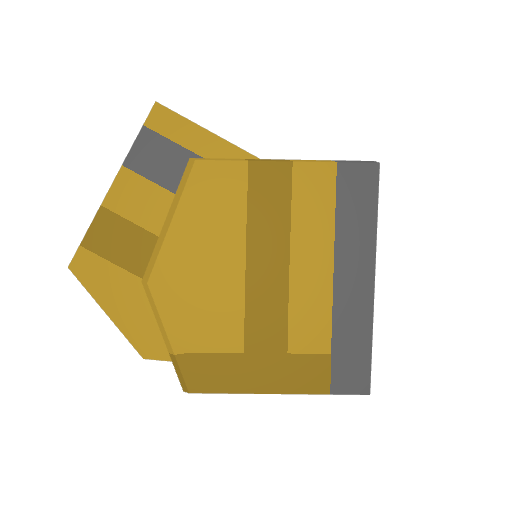
1×1 (1)
Inventory size
54
Blueprints
54 blueprints
Gear
10 x
=
Gear
=
2 x
Salvage

=
2 x
2 x
Repair
0%
+
2 x
=
100%
Salvage
=
2 x
2 x
Repair
0%
+
2 x
=
100%
Salvage
=
2 x
2 x
Repair
0%
+
2 x
=
100%
Salvage

=
2 x
2 x
Repair
0%
+
2 x
=
100%
Salvage

=
2 x
2 x
Repair
0%
+
2 x
=
100%
Salvage

=
2 x
2 x
Repair
0%
+
2 x
=
100%
Salvage

=
2 x
2 x
Repair
0%
+
2 x
=
100%
Salvage

=
2 x
2 x
Repair
0%
+
2 x
=
100%
Salvage

=
2 x
2 x
Repair
0%
+
2 x
=
100%
Apparel
+
+
6 x
+
5 x

=

Salvage
=
2 x
2 x
Salvage

=
2 x
2 x
Repair
0%
+
2 x
=
100%
Salvage

=
2 x
2 x
Repair
0%
+
2 x
=
100%
Salvage

=
2 x
2 x
Salvage
=
2 x
2 x
Repair
0%
+
2 x
=
100%
Salvage
=
2 x
2 x
Repair
0%
+
2 x
=
100%
Salvage

=
2 x
2 x
Salvage

=
2 x
2 x
Gear
=
10 x
Salvage
=
2 x
2 x
Repair
0%
+
2 x
=
100%
Apparel

+
5 x
+
2 x
=
Salvage

=
2 x
2 x
Salvage
=
2 x
2 x
Salvage

=
2 x
2 x
Salvage

=
2 x
2 x
Repair
0%
+
2 x
=
100%
Salvage

=
2 x
2 x
Repair
0%
+
2 x
=
100%
Apparel
+
5 x
+
2 x
=
Salvage
=
2 x
2 x
Repair
0%
+
2 x
=
100%
Salvage
=
2 x
2 x
Repair
0%
+
2 x
=
100%
Salvage

=
2 x
2 x
Salvage

=
2 x
2 x
Apparel
=
2 x
Salvage
=
2 x
2 x
Apparel
=
3 x
No blueprints found matching your search.
Biohazard Fiber
Where to find this Item
Outside the map
This spawn is outside the visible chart area.
Item spawns
Research High Stash
…
17.7 %
Research High
…
8.8 %
Fishing Crate 2
…
6.1 %
No spawns on map.
Zombie drops
No zombie drops.
NPC vendors
No vendors on this map.
Airdrop locations
No airdrops on this map drop this.
Points = locations on map. Chance = drop chance per spawn. × = avg items per harvest.
Other ways to get this supply
Off-map sources rolled from a loot pool
Cases (1)
 6.07 %
Spawn tables
(3)
Useful for modders. Each row links to the spawn table's page.
| Spawn ID | Spawn Name | Drop Chance | Pool Size |
|---|---|---|---|
| 4563 | CA Research High Stash | 17.74 % | 39 |
| 4284 | CA Research High | 8.76 % | 57 |
| 4567 | CA Fishing Crate 2 | 6.07 % | 21 |
How loot works in Unturned
Sections that apply to this supply are open by default
Map spawn points
Each dot is a fixed loot point. The map is split into a grid of regions; each region tops up its loot
on a server-set timer (
Items.Respawn_Time) up to a fraction of its points
(Items.Spawn_Chance, usually 10–50%). When a point fills, the table rolls a rarity tier
(Common / Rare / Epic / Legendary) by cumulative chance, then picks one item uniformly from that tier.
The Drop Chance column is the combined odds — 100% means the item
is the sole candidate, not that the point will always be filled.
Zombie kill drops
Zombies on certain map regions can drop items when killed. Drop chance is the per-roll weight from that
zombie's loot table. Boss / Mega / Flanker variants run higher-tier tables.
Resource harvesting
Trees, rocks, metal nodes, and forageable bushes drop items when harvested with a tool. Trees yield
Log + Stick per hit; rocks / nodes / forage roll a spawn table once per harvest.
Forage bushes are single-use until the server resets them.
Object destruction & droppers
Some world objects drop items when destroyed (rubble loot — fixed roll count from a spawn table) or when
interacted with. Dropper objects (printers, cash registers, etc.) dispense one item per use with a
cooldown; some require power.
NPC vendors
Shopkeepers offer fixed lists of items they sell to you and items they buy from you. Costs use either
skill experience (default) or an in-game currency item. Some offers gate behind quest progress, skillsets,
or reputation.
Cases (Unbox / Open)
Supply / barricade items with an Unbox-style action that triggers a blueprint. The blueprint's
Item_Random reward rolls a configured number of items from a spawn table — your case shows
its action name and roll count on its own page.
Horde beacons
Place a beacon and a wave of zombies attacks. Defeating the wave drops loot at the beacon location, with
rewards scaling roughly by
√players in the area when participant scaling is on.
Fishing rods
Cast a rod into water and reel in. Each successful catch rolls one random item from the rod's catch
pool and grants skill XP. Higher-tier rods can have different pools and faster bite times.
Consumable rewards
Event consumables (Birthday Cake, Lottery Scratchers, Easter Egg, etc.) roll between min and max items
from a spawn table when used, on top of any normal food / water / health effects.
Hunted animals
Killing an animal either rolls items from its
Reward_ID spawn pool
(Reward_Min-Reward_Max rolls) or, when no reward pool is set, drops
a fixed 2-4 of Meat and 2-4 of Pelt. Hunting skill influences XP, not loot.
Vehicle wrecks
When a vehicle is destroyed (explosion, decay, water), its
Drops_Table_ID spawn pool rolls
Drops_Min-Drops_Max items at the wreck location. Most vehicles default to vanilla
table 962 with 3-7 rolls; mods can override.
Airdrops
Random in-game events that drop a crate of high-tier loot at a marked airdrop location. Crates spawn on
server-side timers and are independent of regular item spawn points.
CA_Cloth_Biohazard.dat
GUID 3672e1bdd2034fce9c54ca60baa5ce81
Type Supply
Rarity Epic
ID 6270

Size_Z 0.39
Size_X 1
Size_Y 1

Blueprints
[
	{
		CategoryTag "cdb2df24b76d4c6e9d8411c940d8337f" // Gear
		InputItems this x 10
		OutputItems "817d8079498b49e5b284185c56620000" // Biohazard Fiber Bundle
		Effect "7eceb9f7751d4634b572c8e236355104" // Rip
	}
	{
		CategoryTag "cdb2df24b76d4c6e9d8411c940d8337f" // Gear
		InputItems this x 1
		OutputItems "1d033cfaf3be4da79dbb172d6d112424 x 2" // Ballistic Fiber
		Effect "7eceb9f7751d4634b572c8e236355104" // Rip
	}
]

Actions 1
Action_0_Type Blueprint
Action_0_Blueprints 1
Action_0_Blueprint_0_Index 0